
Antivirus Flux
Leslies GamingTools
4.2118.00 Reviews
- Version
- 2.0.0.0
- Installs
- 10.00M
- Age Rating
- Everyone
Screenshots
Our Review of Antivirus Flux
 Analysis by Appyee
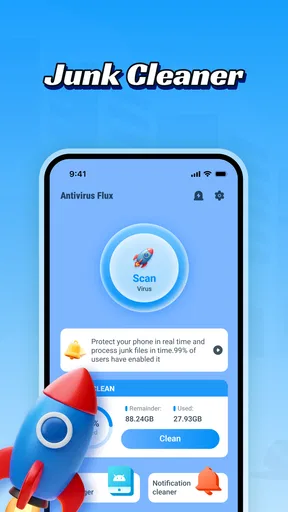
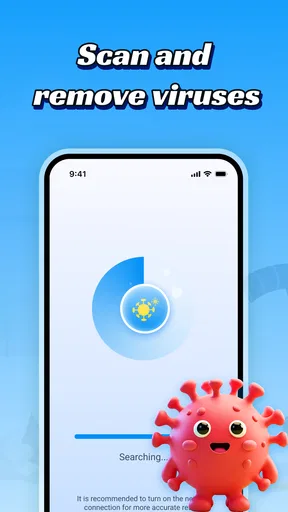
I approached Antivirus Flux as a practical Android utility rather than a replacement for every security tool on a phone. Its purpose is straightforward: help clean unwanted mobile files and look for viruses. That makes it relevant when a device feels cluttered, storage warnings keep appearing, or you want a simple security check without paying for the app.
In everyday use, I would judge it by three questions. Does it make cleanup easier than browsing folders manually? Does its virus-detection function give a useful extra check? And does the convenience justify adding another tool to a phone that may already include built-in storage and security features? Those questions matter more than a long feature list, because cleaning and protection are related jobs but not identical ones.
Antivirus Flux is a free Tools app from Leslies Gaming, rated for Everyone. It has attracted an average rating of 4.1 from around fifteen thousand ratings and has passed ten million installs, so it is clearly aimed at a broad audience rather than technical users alone. The current release is version 2.0.0.0, and it runs on Android 7.0 or later.
How Antivirus Flux fits into a sensible phone-maintenance routine
I find that a combined cleaner and virus scanner is most useful when it has a clear place in a routine, rather than becoming another app I open out of habit. I’d start with one deliberate cleanup, learn which suggestions are relevant to my phone, and then use the scanner when a specific concern gives me a reason. That approach makes it easier to judge whether the app keeps earning its space over time.
Start with the problem you actually want to solve
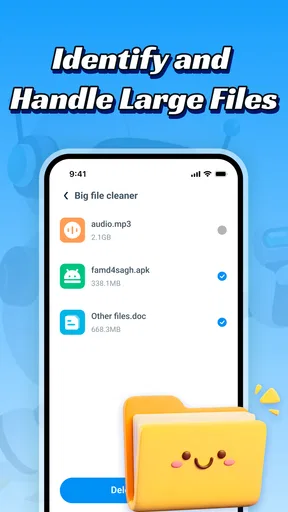
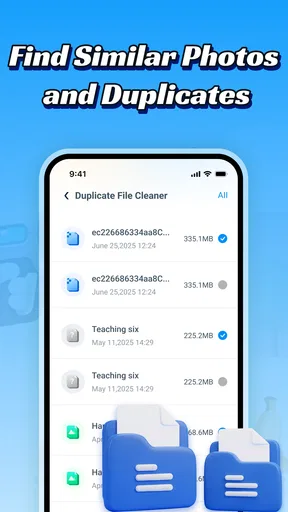
The best reason to install this app is not the promise of a magically faster phone. It is the wish to make two small maintenance tasks easier: checking for unwanted files and running a virus scan from one place. If your phone is full of old downloads, leftover installation packages, large temporary items, or files you no longer recognize, a cleanup tool can save time compared with opening several folders and deciding what to remove one item at a time.
I would still begin cautiously. A cleanup result is only useful when I understand what it wants to remove. Personal photos, recordings, documents, and offline media can be more important than the storage space they occupy. My practical habit would be to review categories before confirming a deletion, especially after a recent trip, work project, or messaging conversation where files may look disposable but are still needed.
The virus-detection side serves a different purpose. A scan can be reassuring after installing an unfamiliar application, downloading a file from outside the usual app marketplace, or noticing behavior that seems unusual. It should not encourage careless downloading, though. A scanner is a second line of checking, not permission to ignore safe installation habits, system updates, or the reputation of the source.
What makes it convenient for ordinary Android users
The appeal is the combination. Instead of searching for one app to remove clutter and another to perform a security check, I can use one free utility for both tasks. That is especially handy for someone who does not want to learn Android’s storage menus or compare several security products before doing a basic check.
Its broad age rating also makes the positioning clear: this is intended to be approachable. I would recommend it to a family member who wants a visible, uncomplicated maintenance step, provided that person is willing to inspect cleanup suggestions instead of tapping through every prompt automatically. The app’s usefulness comes from reducing friction, not from turning a casual user into a security specialist.
A less obvious benefit is that a combined workflow can help separate two common causes of frustration. If the phone is slow because storage is nearly full, a cleanup review may help. If the concern is a suspicious download, a virus scan is the more relevant action. Keeping those purposes distinct prevents the common mistake of assuming that deleting junk also proves the phone is safe.
Small habits that make the tool more useful
I would use the cleaner before a planned download or recording session, not only after the phone starts complaining. That gives me a chance to remove obvious clutter while I still have time to review the results. I would also avoid running a deletion pass immediately before traveling or working offline, since some cached or downloaded material may be useful when a connection is unavailable.
For a security check, I would scan after a specific event rather than repeatedly scanning out of anxiety. For example, if I installed an unfamiliar utility or received a file from an unexpected source, that is a sensible moment to check. A scan tied to a clear reason produces a more useful decision than repeatedly opening the tool without changing my behavior elsewhere.
Another practical tip is to treat the first cleanup as an audit. I would note which kinds of files occupy the most space, then change the source of the problem if possible. If old downloads are responsible, managing downloads directly may be more effective than relying on repeated cleaning. If messaging media is the issue, reviewing automatic media saving in the messaging app may prevent the same buildup.
Where this app has the strongest case
Antivirus Flux makes the most sense for people who want a single, free starting point for phone maintenance. It is a reasonable fit for an older Android device that still meets the minimum operating-system requirement, for a spare phone that is not maintained often, or for a user who prefers a guided tool over manual file management.
It can also be useful as a quick second opinion. If the phone behaves strangely, the app gives you a place to perform a check before deciding whether the problem is actually security-related. That distinction is valuable because sluggishness can come from limited storage, a demanding app, a weak battery, or a system issue rather than a virus.
The app’s popularity makes it easier to understand why people try it: the promise is simple and the entry cost is zero. Still, popularity should not replace judgment. I would use the rating and large install base as signs that the concept has broad appeal, not as proof that every scan or cleanup recommendation will suit every phone.
Where the usual alternatives may be better
Android’s built-in storage tools may be the better choice when your only goal is finding large files, managing downloads, or freeing space with minimal software. The system tools are already close to the files and settings they manage, so they can feel more transparent to someone who wants to know exactly what is being removed. In that situation, installing a separate cleaner may add an extra step rather than remove one.
A dedicated security product may be a better fit when protection is your main concern. Security-focused alternatives commonly appeal to users who want a broader security routine, such as ongoing attention to risky behavior or more specialized controls. I am not treating those products as automatically superior; the important point is that a combined cleaner and scanner should not be judged by the same expectations as a security-first solution.
Manual file management is another valid alternative. It takes longer, but it offers the clearest control because I decide which folder and file to inspect. That approach suits photographers, students, and professionals who keep important material on their phones and do not want a broad cleanup suggestion to become an accidental deletion.
There is also a category trade-off worth understanding. Cleaner apps are good at surfacing clutter, while antivirus apps are designed around suspicious software or files. A single app that addresses both can be convenient, but convenience may mean less specialization in each area. I would choose Antivirus Flux for simplicity, not because I expect it to replace careful storage management and sensible security practices.
Important limits before you make it part of your routine
The biggest limitation is the risk of overtrust. Any app that offers cleanup can make deletion feel safe simply because the items appear in a list. I would never approve everything without checking. The safest workflow is selective: remove items I recognize as unnecessary, preserve anything tied to current work, and keep backups of irreplaceable files.
The virus-detection feature also needs realistic expectations. A scan can identify concerns, but no single check can compensate for installing unknown software, ignoring system warnings, or postponing updates. If the phone shows persistent pop-ups, unexplained account activity, or other serious warning signs, I would investigate the source directly and consider professional or platform-supported help rather than relying on one scan.
Another point is that cleaning does not automatically improve performance. Removing unnecessary files may create breathing room, but it will not fix every slow phone. If the device has an aging battery, a problematic application, or hardware limits, the result may be modest. I prefer this honest expectation because it prevents disappointment after a cleanup that successfully removes clutter but cannot change the phone’s underlying condition.
The real cost of switching to it
Because Antivirus Flux is free, the financial barrier is low. The more meaningful cost is attention. I have to decide whether its results are clear enough to trust, whether I want another maintenance app on the device, and whether its combined approach is more convenient than the tools already available.
Switching from manual cleanup means learning how its recommendations are organized and developing the habit of reviewing them. Switching from a dedicated security app means deciding whether a simpler combined tool covers the checks I actually perform. In both cases, I would avoid running multiple cleaners at the same time. Several apps competing to identify the same clutter can create confusion, duplicate prompts, and unnecessary maintenance.
A sensible trial is to use it for one specific purpose first. I might begin with a storage review, inspect the categories, and stop there. On another occasion, I could run a security check after a known download. If the app makes those tasks clearer, it has earned a place in my routine. If I still prefer the system’s controls or a specialist security tool, uninstalling it avoids keeping an app that I do not use.
Who should install it, and who should skip it
I would suggest Antivirus Flux to someone who wants a free, approachable way to combine junk-file cleanup with virus detection. It is particularly suitable for users who do not enjoy digging through Android’s storage screens and want a single starting point for routine checks. It can also suit a less frequently used phone where a simple maintenance reminder is more valuable than a large security toolkit.
I would be more cautious recommending it to someone who already has a reliable storage workflow and a security solution they understand. Adding another app may not improve anything. I would also steer highly organized users toward manual file management if they need precise control over every deletion, and toward a security-focused alternative if continuous protection is their primary requirement.
My practical recommendation is to use Antivirus Flux as a careful maintenance assistant, not as an automatic cure for every phone problem. Let it help identify clutter, review the results before removing anything, and use the virus check when there is a sensible reason. That approach captures its convenience without handing over more trust than the task deserves.
My final decision guide
After weighing the alternatives, I see this app as a useful middle-ground choice. It is easier than fully manual cleanup and broader than a tool dedicated only to storage or only to security. Its free price and approachable purpose make trying it straightforward, while the need for careful review keeps it from being a completely hands-off solution.
If your main complaint is a messy phone and you want a simple place to begin, I think it is worth testing. If your main concern is serious device security, choose a security-first approach and use this kind of combined utility only as a supplementary check. If your phone is already well managed, there may be no reason to switch.
For me, the deciding factor is control. I would keep Antivirus Flux installed only if its cleanup suggestions are understandable and its scan fits naturally into my routine. Used selectively, it can make basic Android maintenance less intimidating. Used blindly, it risks creating false confidence, which is why the best experience comes from treating every result as advice to review rather than an instruction to obey.
Verdict
Strengths of Antivirus Flux
- Simple interface makes essential security tools easy to find.
- Real-time scanning can help detect suspicious files and apps.
- Useful privacy checks highlight potentially risky permissions.
- Lightweight design may use fewer device resources than larger suites.
- Scheduled scans provide convenient hands-off protection.
Limitations of Antivirus Flux
- Some advanced protection features may require a paid plan.
- Background monitoring can affect battery life on older devices.
- Scan results may need manual review to avoid unnecessary warnings.
- Performance can vary depending on device model and Android version.
- Its effectiveness depends on keeping the app and threat database updated.
Similar Picks in This Category
View All
Google LLC4.0

Gboard - the Google Keyboard
Google LLC4.5

Google Play services
Google LLC4.3

Google Play Store
Google LLC4.9

Files by Google
Google LLC4.5

SHAREit: Transfer, Share Files
Smart Media4U Technology Pte.Ltd.4.3
Frequently Asked Questions
What is Antivirus Flux, and what does it do?
Antivirus Flux is presented as a mobile security application designed to help users detect potential malware, suspicious files, unsafe applications, and other common security risks. Depending on the version and platform, it may also include scanning, threat alerts, privacy checks, or device-cleaning tools. Before downloading, review the official store description carefully because available features can differ between Android and iOS.
Is Antivirus Flux safe to download and use?
The safest way to install Antivirus Flux is through the official Google Play Store or Apple App Store, rather than from an unknown website or modified APK source. Check the developer name, recent user reviews, update history, privacy information, and requested permissions before installation. Avoid granting access that seems unrelated to security features, and keep your phone’s operating system updated.
Does Antivirus Flux provide real-time protection?
Real-time protection is not guaranteed simply because an app includes the word antivirus in its name. Some mobile security apps offer continuous monitoring, while others only scan when opened or when the user starts a manual check. After installation, inspect the application’s settings and feature description to confirm whether background protection, automatic scanning, web protection, or threat notifications are actually available.
What permissions might Antivirus Flux request?
Antivirus Flux may request permissions needed to scan installed applications, inspect files, display security notifications, or provide additional privacy and device-protection features. The exact permissions depend on your operating system and the app version. Read each permission prompt carefully, deny optional access that is not necessary, and remember that legitimate security tools should clearly explain why sensitive permissions are required.
Is Antivirus Flux free, or does it include subscriptions and advertisements?
Before using Antivirus Flux extensively, check its store listing for pricing details. Security applications may offer a free basic scan while reserving real-time protection, advanced privacy checks, automatic cleaning, or technical support for a paid subscription. Also look for in-app purchases, trial periods, renewal terms, and advertisements. Cancel unwanted trials through your device’s subscription settings before the renewal date.
